A two-minute reset to reduce afternoon attention drift

Contents
- Why task switching creates afternoon drift
- The two-minute reset before the next task
- 1. Stand up for 20 seconds
- 2. Take three slow breaths
- 3. Look away from every screen
- 4. Write the next visible action
- 5. Clear one visual distraction
- Why phone scrolling is a false break
- How to use the reset in a real workday
- Keep the routine light enough to repeat
- When afternoon fatigue needs a bigger answer
By Munisha Editorial
Last updated: June 2, 2026
Afternoon drift often begins in the small gap between tasks. You finish one email, tab, call or document, then slide into the next thing while your attention is still carrying the residue of the last one. A two-minute attention reset can make that transition cleaner without turning your workday into an extreme optimisation project.
This is not a cure for exhaustion or a replacement for proper breaks. It is a short routine for the moments when you are changing tasks and want to arrive at the next one with less mental clutter.
Why task switching creates afternoon drift
Task switching is not just moving from one item on a list to another. It also means changing the question your brain is trying to answer, the information it is holding and the level of focus required.
That is why the first minutes of a new task can feel oddly messy. You may still be thinking about the message you just sent, the meeting you just left or the browser tab you were using. The next job is technically open, but your attention has not caught up.
Afternoon drift is usually worse because the day has already created a trail of unfinished thoughts. Small interruptions, notifications, decisions and half-completed admin tasks can make the next transition feel heavier than it should.
A short reset works best when it gives your attention a clear boundary: the previous task is finished for now, the screen is no longer the centre of your field of view, and the next action is written down before you begin.
The two-minute reset before the next task
Use this routine between work tasks, especially before starting something that needs judgement, writing, planning or careful reading. The aim is not to become perfectly focused. The aim is to remove enough friction that starting feels easier.
1. Stand up for 20 seconds
Stand up before you decide what to do next. This creates a physical break from the last task and stops the common habit of clicking into a new tab before you have chosen your next action.
You do not need a workout, stretch sequence or special equipment. Just stand, let your shoulders drop and give your body a different signal from the one it had during the previous task.
2. Take three slow breaths
Take three slow breaths while standing or sitting upright. Keep it simple: breathe in normally, exhale a little longer than usual, and repeat.
The point is not to force a dramatic calm state. It is to slow the transition enough that you are not carrying the pace of the last task straight into the next one. This can be especially useful after calls, urgent messages or deadline-driven work.
3. Look away from every screen
Look at something across the room, out of a window or down a corridor for around 20 seconds. If your work involves long screen sessions, this gives your eyes and attention a clear change of distance.
A screen break is weaker if you simply move from a laptop to a phone. Your eyes may be away from the work document, but your attention is still being pulled by a device.
4. Write the next visible action
Write one concrete next action before you restart. It should be small enough that you can begin it immediately.
Good examples include:
- Draft the first paragraph of the client update.
- Check the three figures in the spreadsheet.
- Reply to Maya with the revised delivery date.
- Read the first two pages and mark unclear sections.
Avoid vague prompts such as “work on report” or “catch up”. They do not reduce friction because they still require another decision before you can start.
5. Clear one visual distraction
Clear one thing from your immediate view. Close an irrelevant tab, move a loose note, hide a chat window or remove the mug, paper or object that keeps catching your eye.
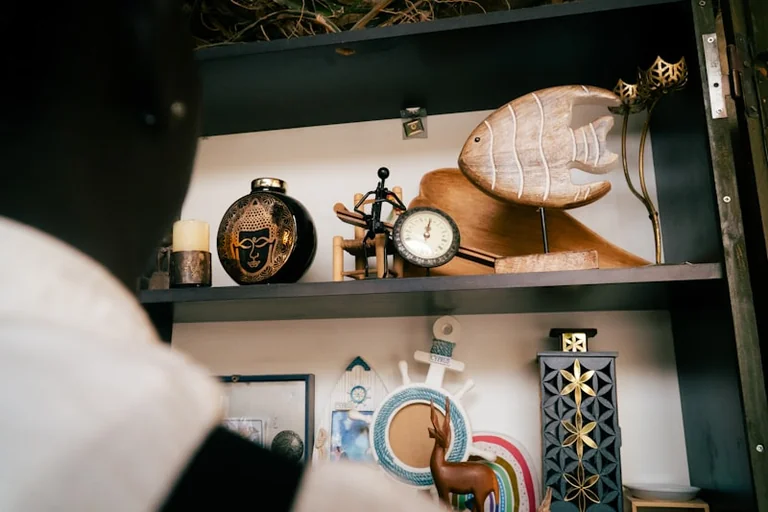
Do not turn this into a cleaning session. One visual distraction is enough. The purpose is to make the next task easier to enter, not to reorganise your whole desk.
Why phone scrolling is a false break
Phone scrolling can feel like a break because it is different from the task you just finished. In practice, it often adds more fragments to your attention: headlines, messages, short videos, social updates and small emotional reactions.
That makes it a poor transition tool before deep work. You may return to your desk technically rested from the previous task, but with more mental tabs open than before.
If you want a genuine break, make it clearly different from work and screens. Stand by a window, refill water, step outside for a minute, or walk to another room without opening a feed. The difference is small, but the effect on the next task can be noticeable.
How to use the reset in a real workday
The reset is most useful at predictable transition points, not after every tiny action. Use it when the next task has a different mental demand from the last one.
Try it after a meeting before writing notes. Stand, breathe, look away, then write: “Capture three decisions and two follow-ups.” That gives the meeting a clean landing instead of letting it blur into inbox checking.
Try it before focused writing. Close the unrelated tabs, look away from the screen and write the next sentence-level action: “Draft the opening section in rough form.” This lowers the pressure to produce polished work immediately.
Try it before admin blocks. Write a narrow action such as “process the five newest invoices” or “answer the three time-sensitive emails.” Admin work often drifts because the category is too broad.
Try it before returning from lunch. A two-minute reset can stop the common pattern of opening your laptop, checking messages automatically and losing the first 20 minutes to low-value scanning.
Keep the routine light enough to repeat
The best version is the one you will actually use. If two minutes feels too long, compress it to one minute: stand up, look away, write the next action, and remove one distraction.
If you enjoy more structure, use the same order every time. Repetition reduces the need to decide how to reset, which is useful when your attention is already thin.
You can also pair the routine with existing cues: after closing a meeting window, before opening a writing document, after sending a difficult email, or before starting the final work block of the day.
The mistake is making the reset feel like another productivity system to maintain. It should feel like closing one door before opening another.
When afternoon fatigue needs a bigger answer
A two-minute attention reset can help with ordinary task switching, but it cannot solve persistent fatigue. If you are regularly exhausted, foggy or unable to focus despite rest and reasonable workload, the cause may be medical, sleep-related, psychological or linked to sustained overwork.
Poor sleep, stress, long hours, illness, medication effects, low mood and unrealistic workload can all show up as attention problems. In those cases, a better transition routine may still help at the edges, but it should not be treated as the main fix.
Pay attention to patterns. If afternoon drift appears only after heavy meetings or fragmented screen work, a transition reset may be a useful tool. If it is constant, worsening or affecting daily life outside work, it is sensible to review sleep, workload and health factors with appropriate professional support.
The practical goal is modest: use two minutes to stop the last task from leaking into the next one. Stand up, breathe, look away, write the next action and clear one distraction before you begin.
Source: Editorial research
Source check Method note
This guide offers a low-risk attention transition routine and does not diagnose persistent fatigue or medical causes.
- Avoids miracle claims about productivity or health
- Separates short screen breaks from phone scrolling
- Flags sleep, workload and medical causes of persistent fatigue
- Scope
- International
- Updated
- 2026-06-02 13:30
Source check
Report a trust issue
Send a clear signal to community moderation if the source, facts or context need review.



Comments